















HashBar – WordPress Notification Bar

14 People watching this product now!

Products of the Week

Absolute Addons for Elementor

In stock

$3.99

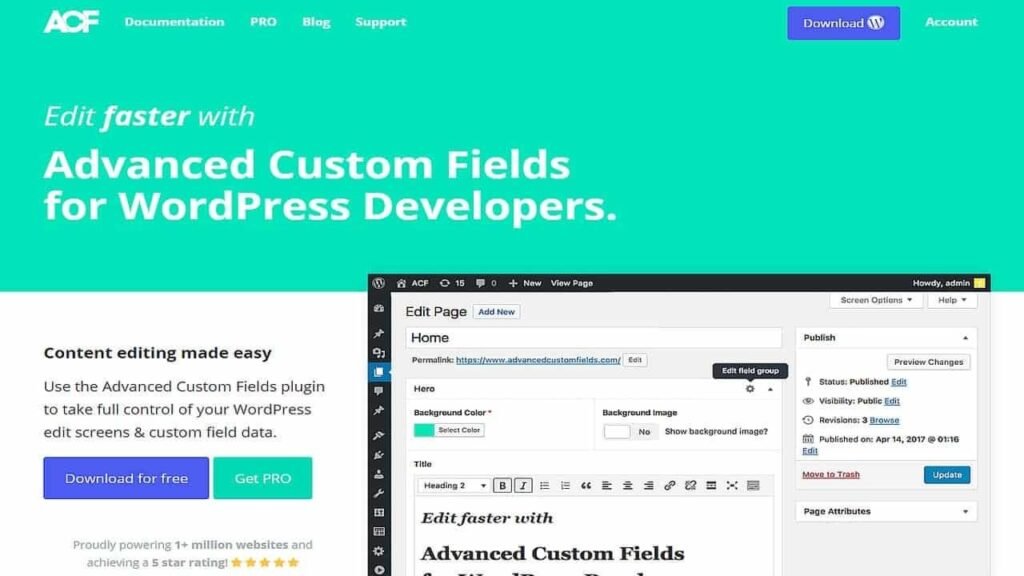
Advanced Custom Fields (ACF)

In stock

$3.99

Advanced Database Cleaner PRO

In stock

$3.99

Premium Membership

Download this product for FREE and also gain access to 5,000+ premium themes and plugins.

GPL License

GPL License

$3.99

15 People watching this product now!

Verified From

  • Products Are Purchased and Downloaded From Original Authors.
  • The File is 100% Completely Untouched and Unmodified.

Last Update:

Today

Version :

Premium Membership

Download this product for FREE and also gain access to 5,000+ premium themes and plugins.

Secure Transaction

Your transaction is secure with the Stripe. One of the famous payment gateway

Virus Free

Our all items on our website are virus-free and checked with McAfee Secure protection

Timely Update

After publishing the new update from author we upload the latest file on our website

Description

Description

HashBar – WordPress Notification Bar

What is HashBar?

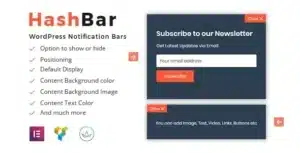
HashBar is a customizable WordPress plugin that provides a flexible and customizable notification bar that allows you to display important messages, alerts, special offers, or any type of information you want your site visitors to see. HashBar is an ideal solution for clearly and effectively displaying vital information, helping to increase engagement and achieve your marketing and business goals.

HashBar Features
Flexible and Customizable Design: One of the most notable features of HashBar is its fully customizable design. You can change the bar colors, message text, font size, and bar placements according to your preferences and site needs. This ensures that the bar blends seamlessly with your existing site design and enhances its visual appeal.

Multiple Message Options: HashBar allows you to display a variety of messages, including urgent alerts, promotions, event announcements, and any type of information you need to highlight. You can set messages to appear at specific times or when users perform certain actions.

Targeting Visitors: HashBar offers advanced features to target visitors based on geographic location, device type, or even visitor behavior on the site. For example, you can show different messages to new visitors compared to returning visitors, allowing you to customize the experience according to different needs.

Timing and Recurrence Options: HashBar provides tools to determine when and where the bar appears on your site. You can set specific times for the bar to appear, specify how long it will display, or even have the bar appear when you scroll down the page. This flexibility in control helps ensure that messages reach visitors at the right times without being annoying.

Integration with Analytics: HashBar seamlessly integrates with analytics tools like Google Analytics, allowing you to track the effectiveness of the messages you display. You can measure click-throughs, visitor engagement, and analyze the overall performance of the bar to continually improve your strategies.

Smooth User Experience: HashBar features an easy and intuitive user interface, making the setup and customization process quick and easy. Even if you don’t have much technical experience, you can set up and manage your notification bar with ease.

Compatibility with other plugins: HashBar is designed to be compatible with most other WordPress plugins, ensuring there are no conflicts and allowing you to extend the functionality of your site without worrying about compatibility issues.

How to use HashBar
Installation and Activation: To get started, install the HashBar plugin via your WordPress dashboard. After installation, activate the plugin to access its settings.

Setting up the HashBar: Go to the HashBar settings page where you can customize the design of the bar, enter text, and set display times. You can adjust the options based on the type of messages you want to display and the engagement strategy you want to implement.

Specify targeting and timing options: Use advanced customization tools to specify when and where the bar appears, as well as targeting and recurrence options. Be sure to test your settings to ensure the bar appears optimally and fits the user experience.

Monitor Performance: Once you’ve set up your stream, use integrated analytics tools to monitor message performance and visitor engagement. Use the data to improve your future messages and strategies.
HashBar – WordPress Notification Bar

Reviews (0)

Reviews

There are no reviews yet

Add a review
HashBar – WordPress Notification Bar HashBar – WordPress Notification Bar
Rating*
0/5
* Rating is required
Your review
* Review is required
Name
* Name is required

HashBar – WordPress Notification Bar

What is HashBar?

HashBar is a customizable WordPress plugin that provides a flexible and customizable notification bar that allows you to display important messages, alerts, special offers, or any type of information you want your site visitors to see. HashBar is an ideal solution for clearly and effectively displaying vital information, helping to increase engagement and achieve your marketing and business goals.

HashBar Features
Flexible and Customizable Design: One of the most notable features of HashBar is its fully customizable design. You can change the bar colors, message text, font size, and bar placements according to your preferences and site needs. This ensures that the bar blends seamlessly with your existing site design and enhances its visual appeal.

Multiple Message Options: HashBar allows you to display a variety of messages, including urgent alerts, promotions, event announcements, and any type of information you need to highlight. You can set messages to appear at specific times or when users perform certain actions.

Targeting Visitors: HashBar offers advanced features to target visitors based on geographic location, device type, or even visitor behavior on the site. For example, you can show different messages to new visitors compared to returning visitors, allowing you to customize the experience according to different needs.

Timing and Recurrence Options: HashBar provides tools to determine when and where the bar appears on your site. You can set specific times for the bar to appear, specify how long it will display, or even have the bar appear when you scroll down the page. This flexibility in control helps ensure that messages reach visitors at the right times without being annoying.

Integration with Analytics: HashBar seamlessly integrates with analytics tools like Google Analytics, allowing you to track the effectiveness of the messages you display. You can measure click-throughs, visitor engagement, and analyze the overall performance of the bar to continually improve your strategies.

Smooth User Experience: HashBar features an easy and intuitive user interface, making the setup and customization process quick and easy. Even if you don’t have much technical experience, you can set up and manage your notification bar with ease.

Compatibility with other plugins: HashBar is designed to be compatible with most other WordPress plugins, ensuring there are no conflicts and allowing you to extend the functionality of your site without worrying about compatibility issues.

How to use HashBar
Installation and Activation: To get started, install the HashBar plugin via your WordPress dashboard. After installation, activate the plugin to access its settings.

Setting up the HashBar: Go to the HashBar settings page where you can customize the design of the bar, enter text, and set display times. You can adjust the options based on the type of messages you want to display and the engagement strategy you want to implement.

Specify targeting and timing options: Use advanced customization tools to specify when and where the bar appears, as well as targeting and recurrence options. Be sure to test your settings to ensure the bar appears optimally and fits the user experience.

Monitor Performance: Once you’ve set up your stream, use integrated analytics tools to monitor message performance and visitor engagement. Use the data to improve your future messages and strategies.
HashBar – WordPress Notification Bar

Reviews

There are no reviews yet

Add a review
HashBar – WordPress Notification Bar HashBar – WordPress Notification Bar
Rating*
0/5
* Rating is required
Your review
* Review is required
Name
* Name is required
WINTER SALE OFFERS • GET 25% OFF ON 1 YEAR & LIFETIME MEMBERSHIP USE COUPON CODE: SPECIALDISCOUNT25 • BUY TWO GPL PRODUCTS AT JUST $6 USE COUPON CODE: BUY2 • GET 25% OFF ON 1 YEAR & LIFETIME MEMBERSHIP USE COUPON CODE: SPECIALDISCOUNT25 • BUY TWO GPL PRODUCTS AT JUST $6 USE COUPON CODE: BUY2 • GET 25% OFF ON 1 YEAR & LIFETIME MEMBERSHIP USE COUPON CODE: SPECIALDISCOUNT25 • BUY TWO GPL PRODUCTS AT JUST $6 USE COUPON CODE: BUY2